HEPLANO Flow is a habit tracker that, without distraction, does exactly what it should: help you build habits and stick with them.
What to expect
- Track habits – keep an eye on your daily routines
- Plan a daily routine – structure your morning and evening routines
How HEPLANO Flow works
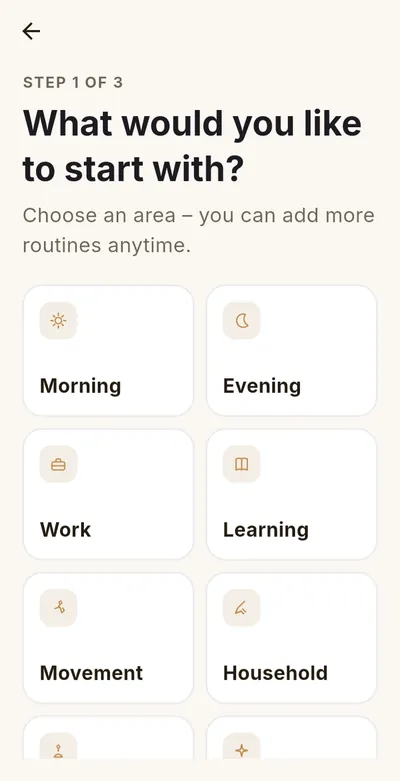
- Create a routine: Pick a template (morning, evening, work, learning, movement, household, relaxation) or build your own steps.
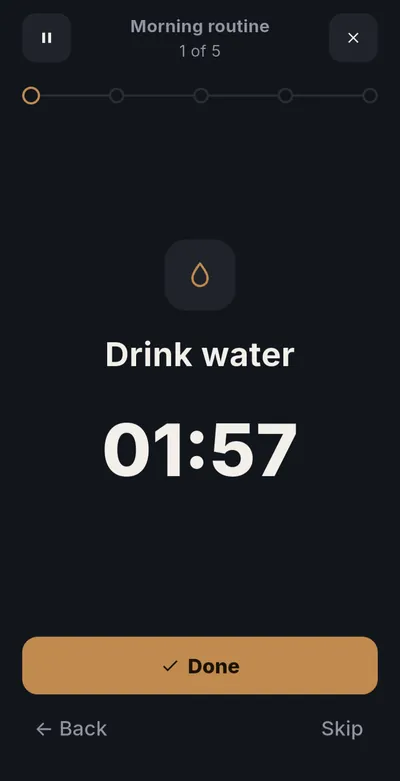
- Start the routine: The app guides you through the whole routine step by step, with an optional timer per step. You never have to think about what comes next.
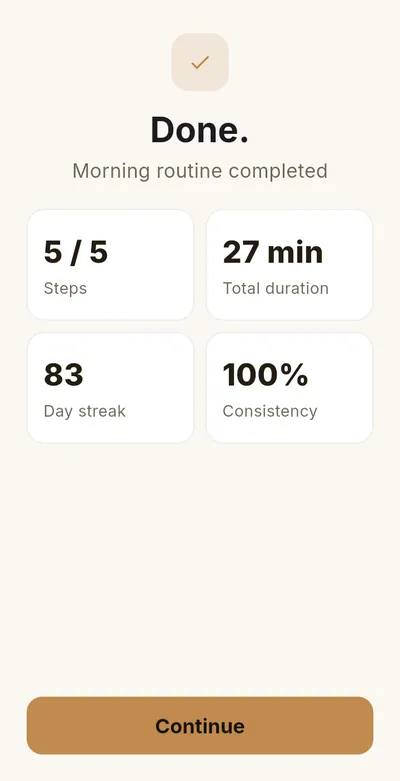
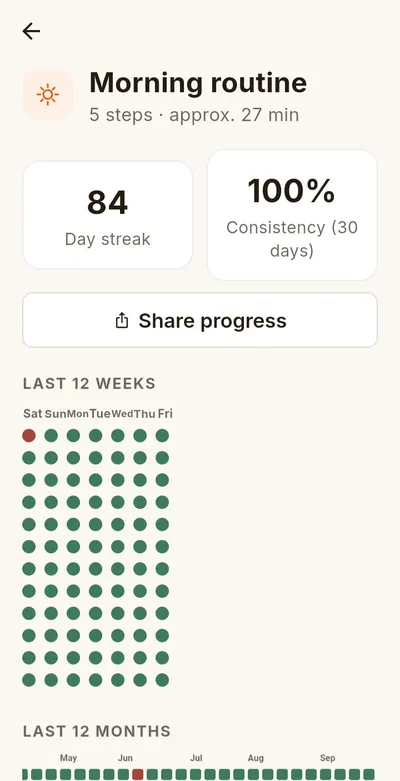
- See your progress: Streak, consistency, history and calendar view show how well you are sticking with it.
Features at a glance
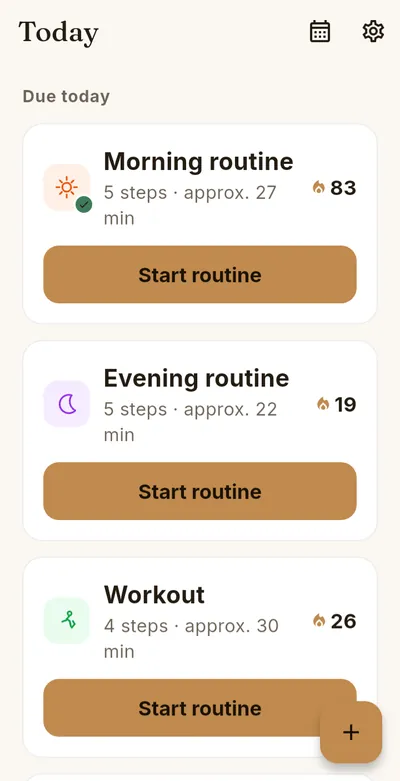
- Daily planner “Today”: routines that are due at a glance, order by drag & drop
- Flexible schedules: specific weekdays, fixed intervals (for example every 3rd day) or a weekly goal “x times per week” (Premium)
- Reminders at or before the start time, with a “Start routine” action
- A note for every run (Premium)
- Adjustable end of day, handy for late evening routines and night shifts
- Pause for vacations and more, without losing your streak
- Your own icon and color for every routine
- Home screen widget “Today” with start time and progress (free)
- Encrypted backup with your own password, also via Google Drive (Premium)
- Share your progress as an image
The features in detail
Daily planner “Today”
The start screen shows your routines in three sections: “Due today”, “Not due today” and “Paused”. You can start any routine at any time, even if it is not due today. Change the order of the cards with a long press and drag; it stays saved. In the settings you choose where completed routines appear: at the bottom (default), in their own order or hidden. If everything that is due is done and hidden, you see a short confirmation instead of an empty list.
Schedules and weekly goal
You choose between specific weekdays, a fixed interval (for example every 3rd day) and, as a Premium feature, a weekly goal. With a weekly goal you set on how many days per week (Monday to Sunday, 1 to 6 days) you want to do the routine. Different days count: several runs on the same day count only once. The card shows “x of y this week”. Once the goal is reached, the routine stays under “Due today” for the rest of that day and moves to “Not due today” from the next day on, still startable at any time. The streak counts fulfilled weeks in a row. If you set a weekly goal in the middle of a week, that partial week is not rated, so you are not at a disadvantage.
Reminder with “Start routine”
The reminder appears at the start time or before. With the “Start routine” action in the notification, the app opens directly on the running routine. On some devices the button only appears when you expand the notification. With a weekly goal the reminder comes daily until the goal of the week is reached.
A note for every run (Premium)
At the end of a routine you can save a short note, for example how it went. In the history you tap a day and see all runs of that day with their notes. Notes can be edited or deleted there later.
End of day
By default a new day begins at midnight. In the settings you can move the end of day as late as 6 am. A run you complete after midnight but before the end of day then still counts for the previous day. The setting applies to all routines and helps with late evening routines and night shifts.
History and statistics
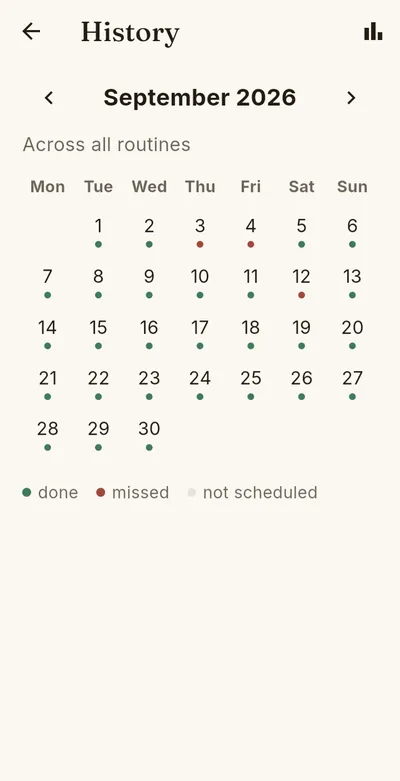
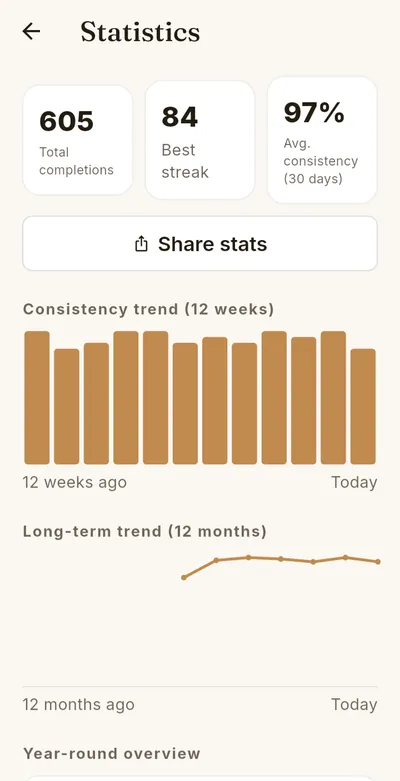
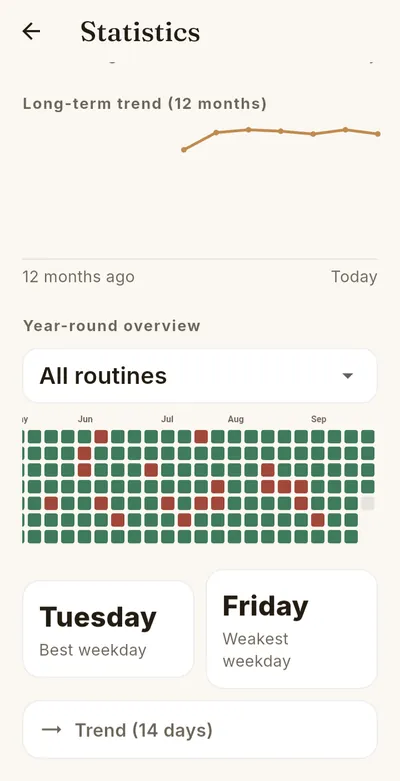
The history calendar shows “done”, “missed” or “not due” for each day. A run on a day without a plan counts as “done” in the calendar; streak and consistency still consider only planned days. The basic statistics (total runs and active days) are free. The statistics dashboard and the year-round overview are part of Premium.
Icons and colors
Every routine gets its own icon (from 38 icons) and its own color (12 colors). You change both on the edit screen of the routine, free of charge.
Backup and restore (Premium)
The backup is encrypted with your own password that only you know. You have two ways: a fixed backup folder that you choose once (the files go into the subfolder “Backups”), or “Share backup”, for example to Google Drive. The backup screen shows when the last backup was made and points out an overdue backup; you set the interval yourself. To restore, you choose the backup file and enter the password. HEPLANO does not store your password; without it, restoring is not possible.
Language
HEPLANO Flow uses your device language. From Android 13 you can also change it for this app only in the device settings.
Free and Premium
The core is free: creating, starting and completing routines (up to 3 routines with up to 3 steps each), the daily planner, icons and colors, the basic statistics and the widget. Premium adds unlimited routines and steps, advanced schedules including the weekly goal, notes, short versions, the statistics dashboard, the year-round overview and backup. Premium is available as a subscription (monthly or yearly) or as a one-time lifetime purchase.
Privacy first
HEPLANO Flow works locally on your device: no user account, no cloud requirement, no tracking and no ads. Your routines and statistics stay with you.
HEPLANO Flow is now available for Android on Google Play.