HEPLANO SeniorShow Birthdays and Appointments on a Senior Phone

Show Birthdays and Appointments on a Senior Phone

Under “Today” you see at a glance what is coming up. The appointments come from the calendar of the phone, the birthdays from the contacts.

Last updated 26.10.2026

Short answer

HEPLANO Senior shows under “Today” the day’s appointments from the calendar of the phone, the birthdays of your contacts and your own reminders. Birthdays do not come from the calendar but from the contacts.

Appointments

Relatives enter appointments in Google Calendar. They appear on the phone after a short time. The steps are explained under Share the calendar. HEPLANO only displays appointments. Nothing rings, and HEPLANO changes nothing in the calendar.

Enter birthdays

  1. Open the Android Contacts app and tap the contact.
  2. Choose “Edit”, then “Show more” or “More fields”.
  3. Add “Event” or “Birthday” and choose the date.
  4. Save. HEPLANO shows the birthday on the day itself and on the day before under “Today”.

For this, access to “Contacts” must be allowed in HEPLANO under “For relatives” and “Permissions”.

Your own reminders

With “New entry” you add your own reminders, for example “Take tablets”. Up to 20 entries are possible, either “Today only” or “Every day”. A tap on a row marks it as done.

The week at a glance

“Appointments this week” shows the next seven days. You can page on into the following weeks. The birthdays also stand there on their day.

If something is missing

  • Wait a few minutes. Android does not fetch new appointments at once.
  • Under “For relatives” and “Permissions”, check whether “Calendar” and “Contacts” are allowed.
  • Open the Android calendar app once. This starts the synchronization.
What HEPLANO Senior looks like

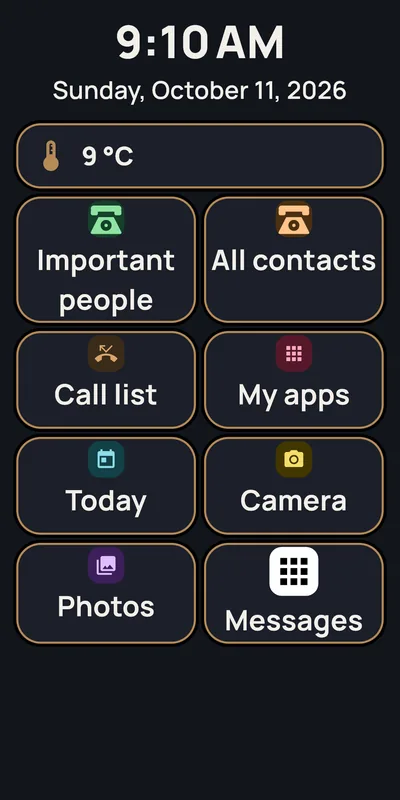
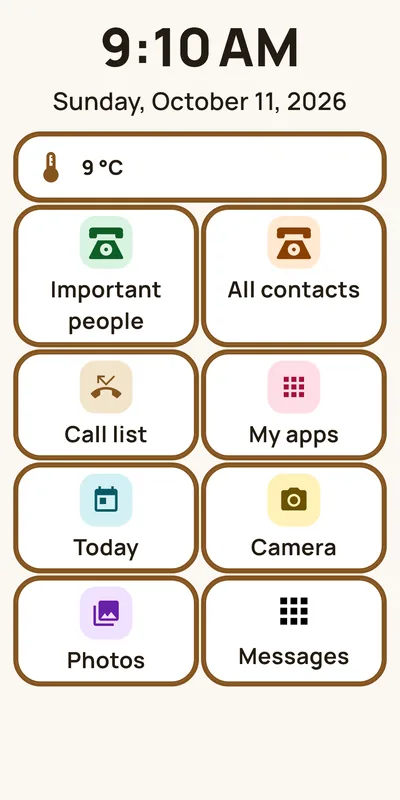
  • HEPLANO Senior: Big tiles instead of tiny icons
    Big tiles instead of tiny iconsThe home screen: time, date, weather and eight big tiles. Five are fixed, three can be filled freely, here with camera, photos and a messaging app.
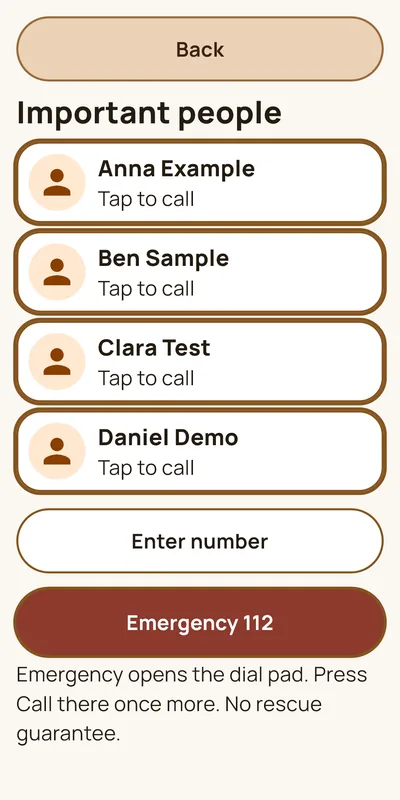
  • HEPLANO Senior: Call important people with one tap
    Call important people with one tapUp to six people you call without searching. Below are “Enter number” and the emergency button, which opens the dial pad.
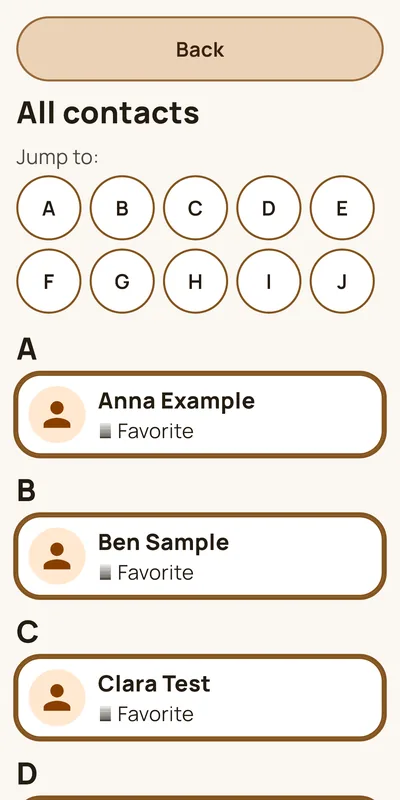
  • HEPLANO Senior: All contacts, big and clear
    All contacts, big and clearAll contacts of the phone with big names. With the letters at the top, you jump straight to the right initial.
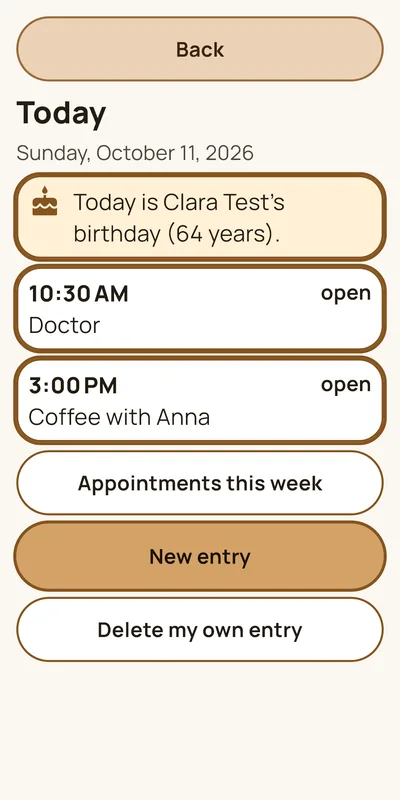
  • HEPLANO Senior: Today: appointments and birthdays
    Today: appointments and birthdaysThe day’s appointments from the calendar, the birthday of a contact and your own reminders. A tap marks an entry as done.
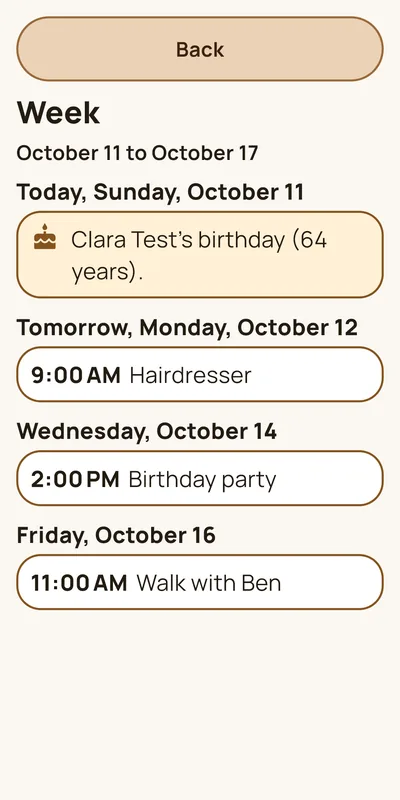
  • HEPLANO Senior: The week at a glance
    The week at a glanceThe next seven days with appointments and birthdays, each day with a heading. “Next week” pages on.
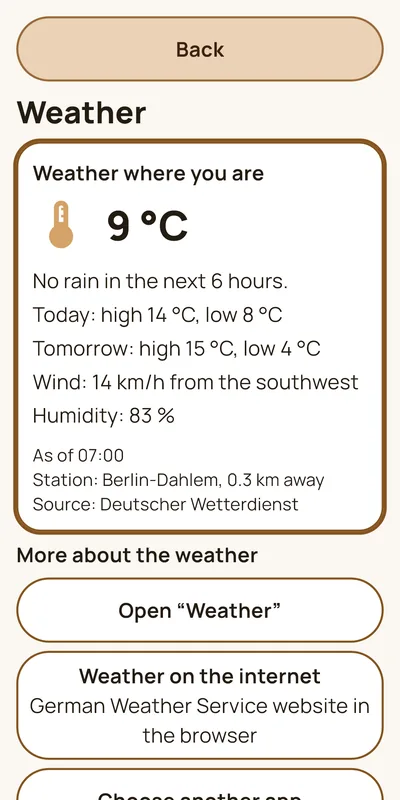
  • HEPLANO Senior: The weather, simply explained
    The weather, simply explainedTemperature, wind, humidity, the high and low for today and tomorrow and a note whether it rains. Data from the German Weather Service.
  • HEPLANO Senior: Large text, dark mode
    Large text, dark modeThe text comes in four sizes, the appearance light, dark or high contrast. With large text, the tiles grow and the arrangement stays the same.
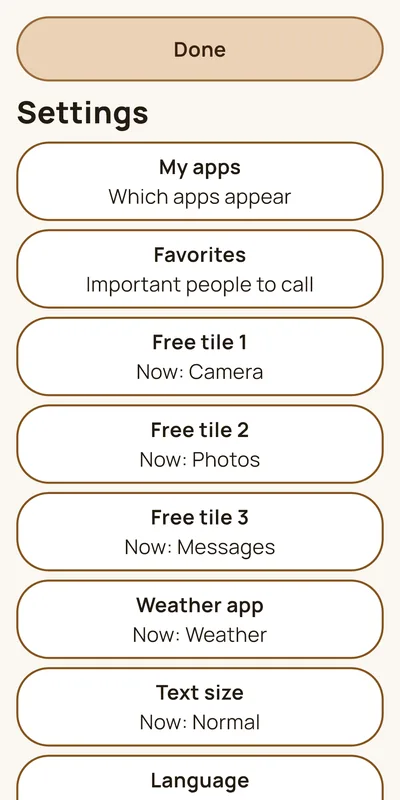
  • HEPLANO Senior: Relatives set it all up
    Relatives set it all upThe settings are protected by five taps on the clock. Here relatives choose apps, favorites, free tiles, text size and language.

Common questions about appointments and birthdays

Why does a birthday not appear?

Birthdays come from the contacts, not from the calendar. Check whether a birthday is entered for the contact and whether HEPLANO may access “Contacts”.

Can HEPLANO create appointments?

HEPLANO only displays appointments. You add your own reminders with “New entry”. HEPLANO changes nothing in the calendar of the phone.

Does this also work with Outlook or iCloud?

HEPLANO shows every calendar that is synchronized on the phone. Sharing is called something else there.